Settings & permissions
This guide is for administrators. It covers the plugin settings and the capabilities that control who can use Edzrise Builder.
Plugin settings
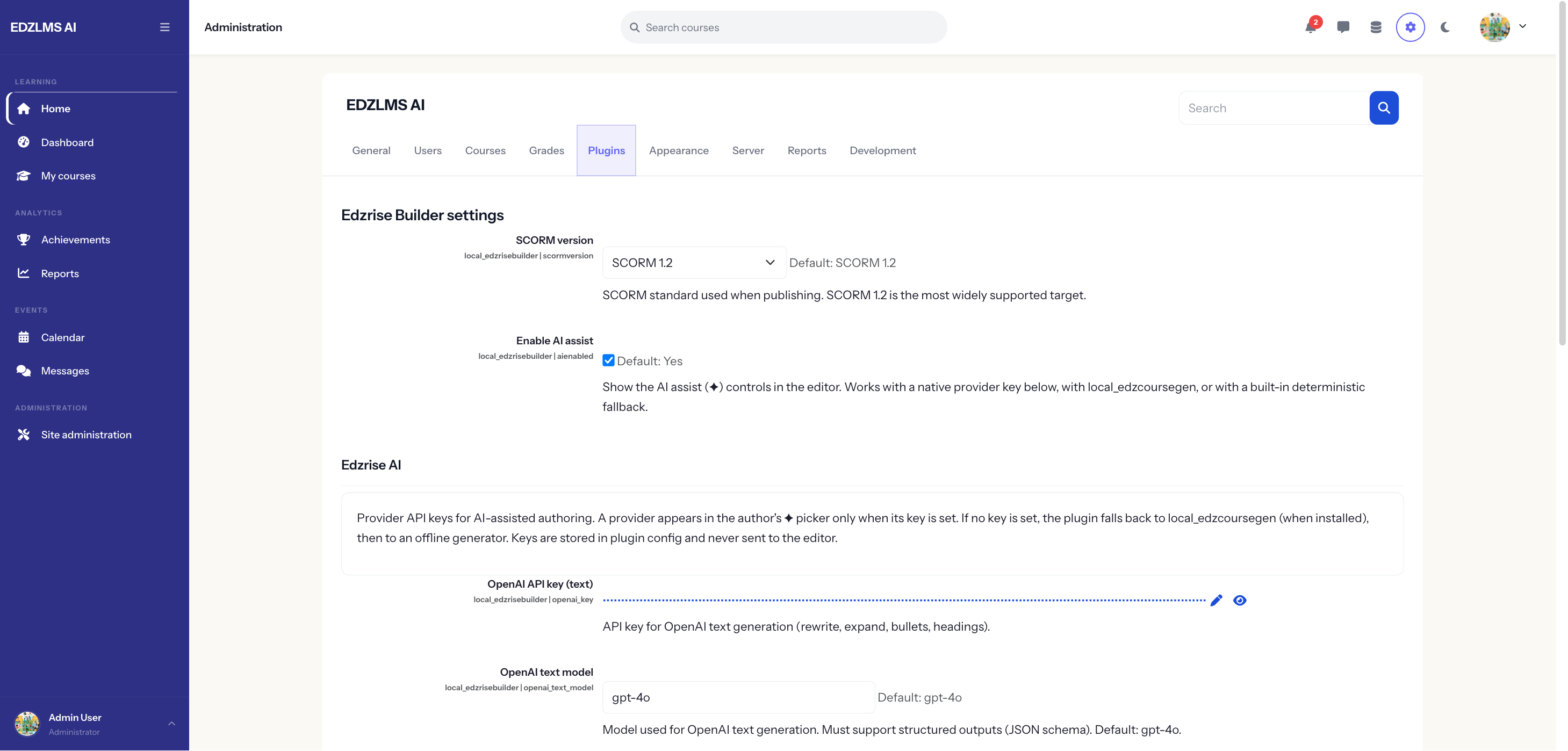
Section titled “Plugin settings”Go to Site administration → Plugins → Local plugins → Edzrise Builder.
- SCORM version — SCORM 1.2 (default) or 2004.
- Enable AI assist — a site-wide toggle that shows or hides the ✦ text-assist controls for authors.
AI providers
Section titled “AI providers”Under the Edzrise AI section, enter an API key (and an optional model) for any of the supported text providers:
- OpenAI
- Anthropic Claude
- Google Gemini
A provider appears in the author’s ✦ picker only once its key is set. When more than one is configured, authors choose the provider per generation. The resolution order is: a key set here → the AI Course Builder’s key (if installed) → a built-in offline fallback (so the ✦ control still works, just without a real model).
Image providers (OpenAI Images, Imagen, Stability) also have key fields, but image generation is a future phase and not yet active. The keys are safe to set now; they take effect when that phase ships.
Capabilities
Section titled “Capabilities”| Capability | Typical role | Grants |
|---|---|---|
local/edzrisebuilder:author | Editing teacher, Manager | Open the builder; create and edit builds. |
local/edzrisebuilder:publish | Editing teacher, Manager | Publish and re-publish to a SCORM activity. |
local/edzrisebuilder:manage | Manager | Plug-in-wide management (where present). |
Authoring is course-scoped — a user needs the capability in the context of the course they’re working in. Publishing from the site front page is not supported; authors publish from inside a real course.
How a published activity opens
Section titled “How a published activity opens”Published lessons are standard SCORM activities. Their Appearance → Display package setting controls how they open. Current window is recommended — the reader is a full-screen, responsive experience designed for it. New window is supported but offers no benefit for this content.
Troubleshooting
Section titled “Troubleshooting”| Symptom | Likely cause | What to do |
|---|---|---|
| ✦ AI controls don’t appear, or “no provider” | No provider key is set, or the AI-assist toggle is off | Set a key under Edzrise AI and turn on Enable AI assist, then have the author reload the builder. |
| A UI change isn’t showing after an update | A stale cache | Purge caches and have the author hard-reload the builder. |
| A player fix isn’t in an existing activity | The player is generated at publish time | Have the author re-publish the build. |
Related
Section titled “Related”- AI text assist — what authors get once a provider is configured.
- Publishing to SCORM — the author’s view of publishing and the display setting.